
A new workspace starts empty. That can feel like a blank page. You do not need a big plan. A few chats are enough. Here are three examples you can copy.
First, how a workspace works. Everyone in a workspace can open its chats and read them. When you join a chat, it moves to your inbox and you get notified. Chats you have not joined wait under "Chats you can join". So nobody has to follow everything.
Team workspace
Example: Northwind is a company of twelve people. They use one workspace for all their team chats.


• General is for news that everyone should see.
• Design and Sales are where the daily work happens. In Sales, a bot the team built with the Balsio API posts each new request from the website.
• Hiring is private. Only the people in it can see it.
• Office and Product ideas are open. People join them when they want to.
Project workspace
Example: Meridian.work is a new website for a client. The team is in the workspace. The client and a freelance copywriter are added to single chats with their work email.


• One chat for each part of the project: Brief, Design review, Copy.
• The client sees only the Brief chat. Your other chats stay inside the team.
• When the project ends, the whole history is still in one place.
Community
Example: Founders Circle is a group of 120 founders. New members join with an invite link, then choose the chats they care about.

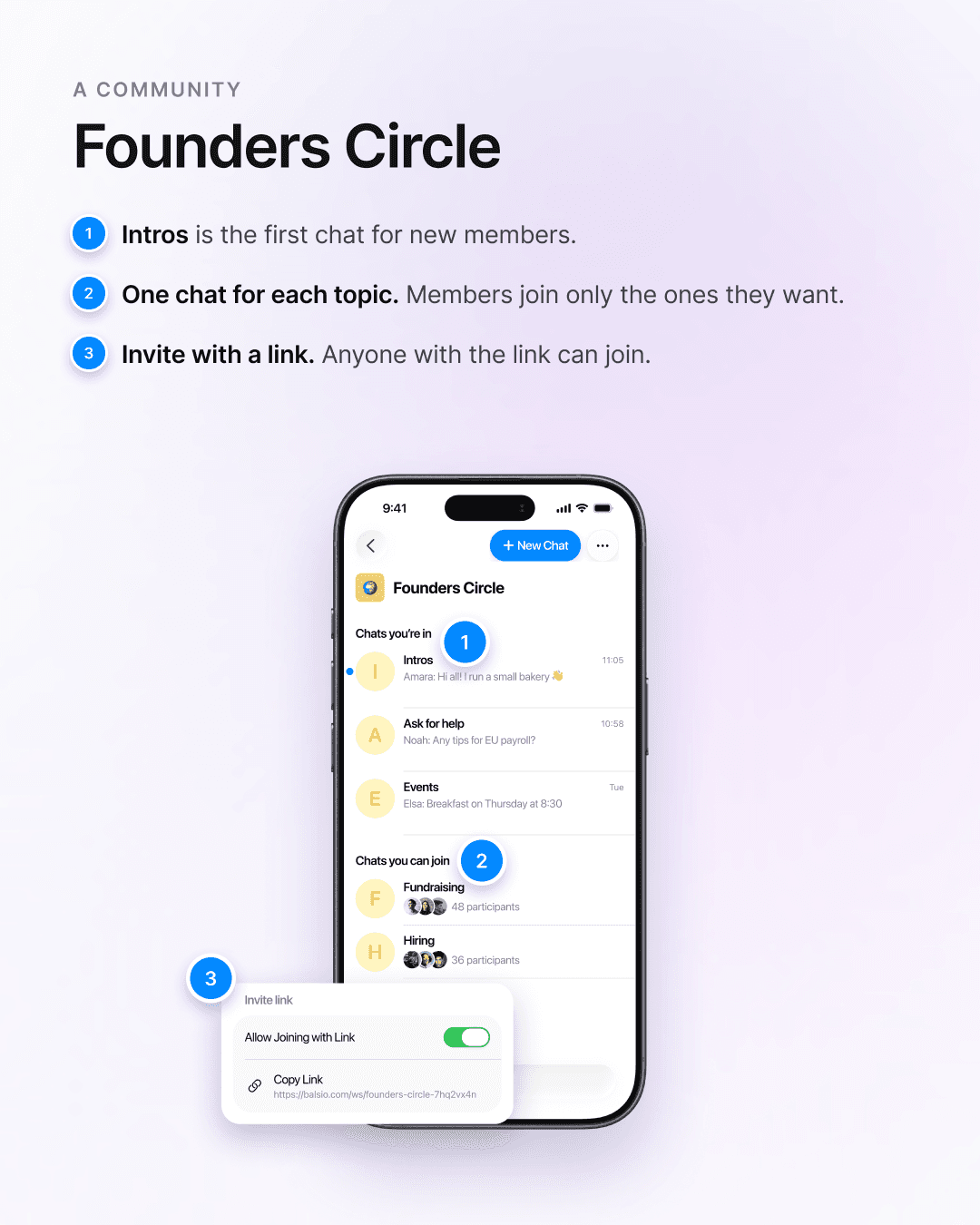
• Intros is the first chat for new members.
• One chat for each topic: Ask for help, Events, Fundraising, Hiring.
• Each member joins only the topics they want, so nobody gets every message.
Tips for your first workspace
• Start with three or four chats. You can add more any time.
• Name each chat after its topic, so people know where to write.
• Make a chat private when only some people should see it.
• Invite people with a link. Turn it on in Workspace Details and share it with your team.
To start, open Balsio and tap New Workspace in the sidebar. It works the same on iPhone, Android, Mac, Windows and the web.